If you have the error of "the import android.support.v7.app cannot be resolved" after Android SDK and ADT updated in Eclipse. Try to Clean all projects, include appcompat_... libs.
Project (on Eclipse menu) -> Clean... -> select Clean all projects... then OK.
The official site for Android developers. Provides the Android SDK and documentation for app developers and designers.
Showing posts with label Eclipse. Show all posts
ic_launcher cannot be resolved or is not a field
Sometimes you will face with error of "ic_launcher cannot be resolved or is not a field", one of the possible reason is import android.R incorrectly.
Note: Eclipse sometimes likes to add an import android.R statement at the top of your files that use resources, especially when you ask eclipse to sort or otherwise manage imports. This will cause your make to break. Look out for these erroneous import statements and delete them.
~ http://source.android.com/source/using-eclipse.html
Note: Eclipse sometimes likes to add an import android.R statement at the top of your files that use resources, especially when you ask eclipse to sort or otherwise manage imports. This will cause your make to break. Look out for these erroneous import statements and delete them.
~ http://source.android.com/source/using-eclipse.html
Rename Package in Eclipse
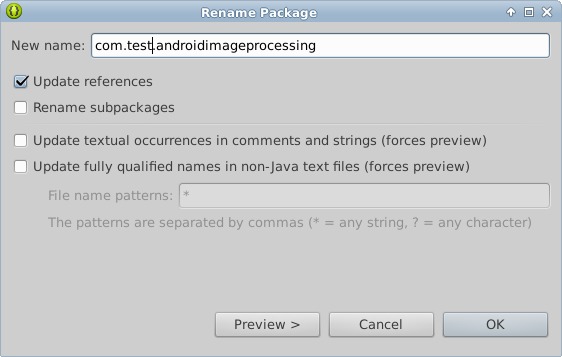
To rename Package in Eclipse for Android SDK, right click your package to be rename (NOT project), select Refactor > Rename...
Enter your new name of package, make sure the check box of Update references is checked (otherwise you will get numbers of in-correct reference), and click OK to finish.
Graphical Layout Editor of ADT
ADT provides many features to allow you to design and build your application's user interface. Many of these features are in the graphical layout editor, which you can access by opening one of your application's XML layout files in Eclipse.
Know more: Android Developer Tools - Graphical Layout Editor